Moving Cloudflare out of the critical path
 Cloudflare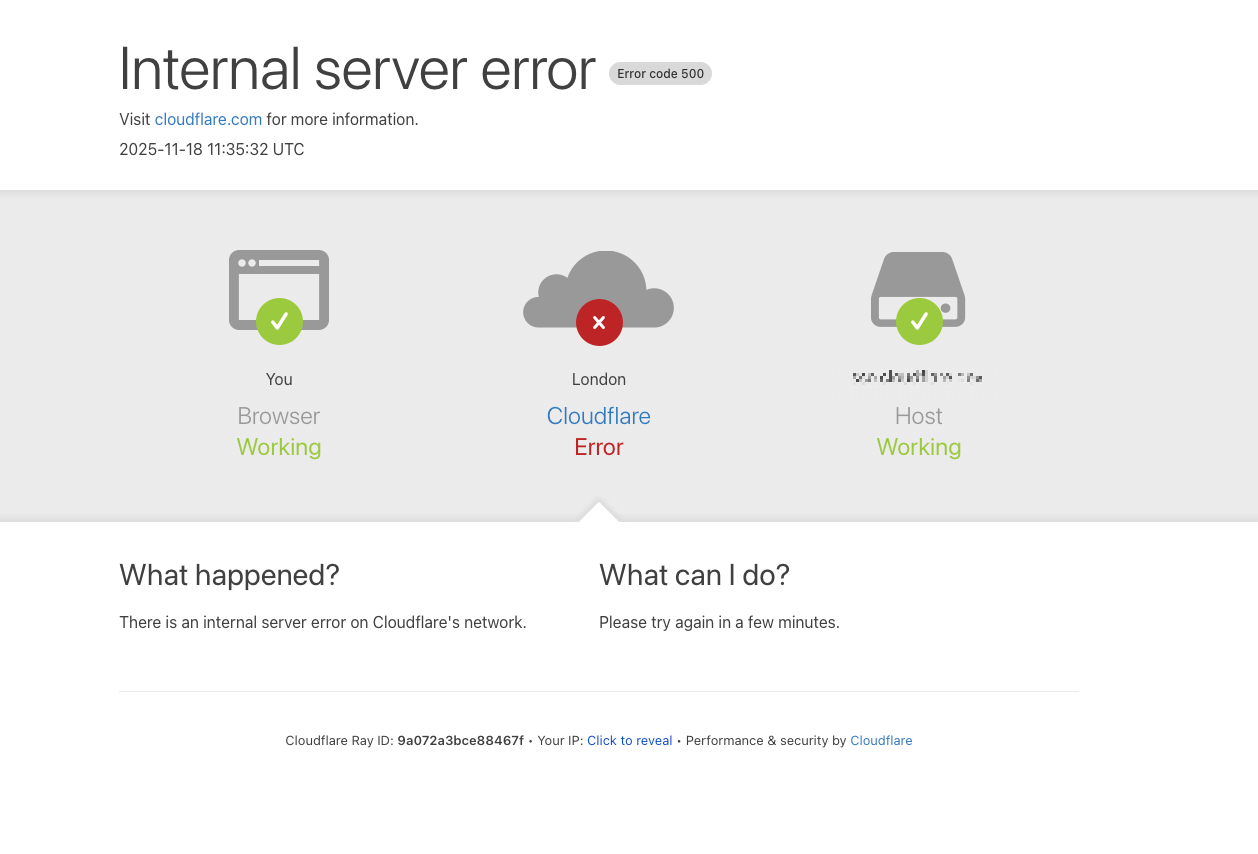
By way of disclaimer: I really like Cloudflare, I've been a customer and (minor) shareholder for years, and I will continue to use them.
My general principle around infrastructure outages is to stick with the providers that make mistakes. The good ones learn from those mistakes, improve their processes, and improve reliability. Plus I can't even recall the last time a Cloudflare outage occurred before that, let alone took down a good chunk of the Internet. If anything it's a testament to both their scale and remarkable resilience.
However, the extended outage on November 18th was long enough that I started wondering whether I really needed Cloudflare to be in the critical request path for my blog. Mostly in the name of being thoughtful about technical decisions.
During the outage, the only way to potentially route around Cloudflare was using their API to disable request proxying – and this was contingent on your origin server already being set up to handle SSL traffic and being able to handle the increase in load.
Alexander Belanger posted a handy comment on Hacker News detailing the process:
abelanger | on: Cloudflare Global Network experiencing issues
If anyone needs commands for turning off the CF proxy for their domains and happens to have a Cloudflare API token.
First you can grab the zone ID via:
curl -X GET "https://api.cloudflare.com/client/v4/zones" -H "Authorization: Bearer $API_TOKEN" -H "Content-Type: application/json" | jq -r '.result[] | "\(.id) \(.name)"'
And a list of DNS records using:
curl -X GET "https://api.cloudflare.com/client/v4/zones/$ZONE_ID/dns_records" -H "Authorization: Bearer $API_TOKEN" -H "Content-Type: application/json"
Each DNS record will have an ID associated. Finally patch the relevant records:
curl -X PATCH "https://api.cloudflare.com/client/v4/zones/$ZONE_ID/dns_records/$RECORD_ID" -H "Authorization: Bearer $API_TOKEN" -H "Content-Type: application/json" --data '{"proxied":false}'
Copying from a sibling comment - some warnings:
- SSL/TLS: You will likely lose your Cloudflare-provided SSL certificate. Your site will only work if your origin server has its own valid certificate.
- Security & Performance: You will lose the performance benefits (caching, minification, global edge network) and security protections (DDoS mitigation, WAF) that Cloudflare provides.
- This will also reveal your backend internal IP addresses. Anyone can find permanent logs of public IP addresses used by even obscure domain names, so potential adversaries don't necessarily have to be paying attention at the exact right time to find it.
This ended up being what I did, with some minor tweaks that I included in the comment thread around using global API keys and checking origin firewall rules I had been blocking all non-Cloudflare traffic to the server to stop the drive-by random scans of all IP addresses that otherwise happen constantly.
My blog does not receive enough ordinary traffic to warrant a globally distributed CDN, and since I use LetsEncrypt on the origin server, I'm not relying on Cloudflare for SSL termination.
The two main things I'm using Cloudflare for are caching and security. I'm interested to see how far I can get with my own efforts on caching – I have spent a lot of time fiddling with caching over the years.
Security, DoS protection, etc., are also something I'm familiar with, but not to the point of reproducing Cloudflare's capabilities. Still, I am willing to see if fail2ban with some LLM-curated filters and an aggressive policy against scanners is going to be enough to keep things ticking over.
There are some anti-spam and quality-of-life stuff Cloudflare does too, like email address obfuscation, and JS/CSS/image optimisation. I like email obfuscation in theory, but I drop my public email address everywhere, so I'm not sure it has any practical benefit!
The great thing is that my blog is architecturally very simple, with all the content and images in an SQLite database that is live replicated with litestream, and occasionally manually dumped to my own laptop. It's all running on a €5/month VPS with Hetzner, and if it gets taken down reproducing it isn't a big deal.
In fact I'm still using Cloudflare for DNS, so I can just pop over to the dashboard and re-enable the proxy easily enough. If the DNS fails at some point I might revisit :)
For my blog, I like the idea of having no intermediate proxy between myself or the reader and the server. It's a bit more old school, but also simpler, and aligns with my desire to occasionally reevaluate my default choices.
Developer folk wisdom tells us to use the right tool for the job, but also to use the tools you know, two good principles that can be in tension with each other. It has always felt crucial for me to make sure I am not using familiar tools on the wrong problems though. That is laziness, and not the good kind.
That said, this is not a choice I think I would make in a professional capacity, especially if Cloudflare was handling a good chunk of my CDN traffic. As a passive and inexpensive service, it would need to do a lot worse to turn me off using it. Not a bad idea to have that disable proxy logic written up in a script somewhere though.
If my blog ends up being defaced, or dropping offline from attacks, I will count it as an interesting, and perhaps very cheap, lesson.
There is currently no comments system. If you'd like to share an opinion either with me or about this post, please feel free to do so with me either via email (ross@duggan.ie) on Mastodon (@duggan@mastodon.ie) or even on Hacker News.
Edit, 2025-12-17: updated to include a link to the Hacker News discussion.